Notes
1. Do not use the printer in any way other than described herein iin order to avoid personal injury or property damage;
2. Do not place the printer near any heat source or flammable orexplosive objects. We suggest placing it in a well-ventilated, cool and dustless environment;
3. Do not expose the printer to a violent vibration or any other uristable environment, as this may cause poor print quality.
4. Please use recommended filaments to avoid clogging of the extrusion head and causing damage to the machine;
5. Do not use the power cable of other products during installaticn. Always use a grounded three-prong power outlet, which accormpanies the printer;
6. Do not touch the nozzle and the heated bed during operation to avoid burns or personal injury;
7. Do not wear gloves or wraps while operating the machine to prevent entrapment of movable parts that could cause crushing and cutting injuries to bodily parts;
8. Use the provided tools to clean the filament from the extruder in time taking advantage of the residual temperature after printing. Do not touch the extruder directly when cleaning, otherwise it may cause burns;
9. Clean the printer frequently. Clean the printer body with a dry cloth regularly after powering off the printer, wipe away dust, bonded print filament and foreign objects on the guide rails;
10. Children must be accompanied by an adult at all times when using or near the printer;
11. Users should comply with the laws and regulations of the corresponding countries and regions where the equipment is located (used), abide by professional ethics, pay attention to safety obligations, and strictly prohibit the use of our products or equipment for any illegal purposes; Creality will not be responsible for any violators' legal liability under any circumstance;
12. Tip: Do not plug in or unplug wires on a charged basis.
1. Printer Information
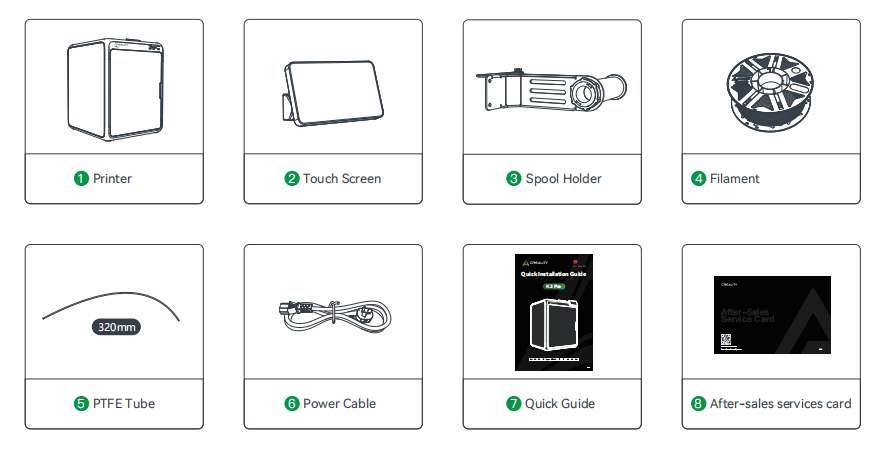
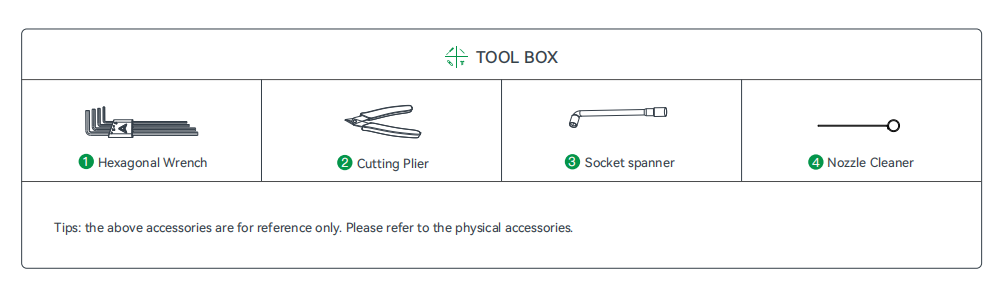
1.1 Packing List
1.2 About the Printer
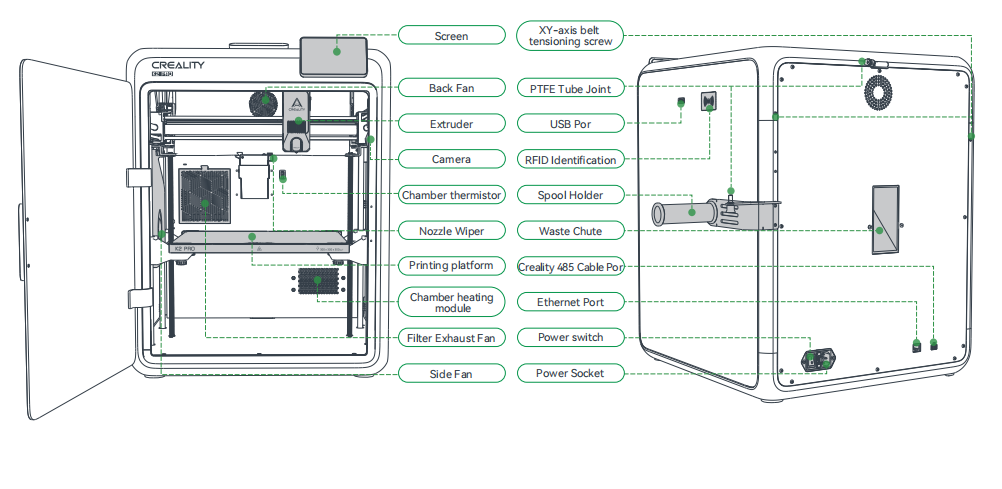
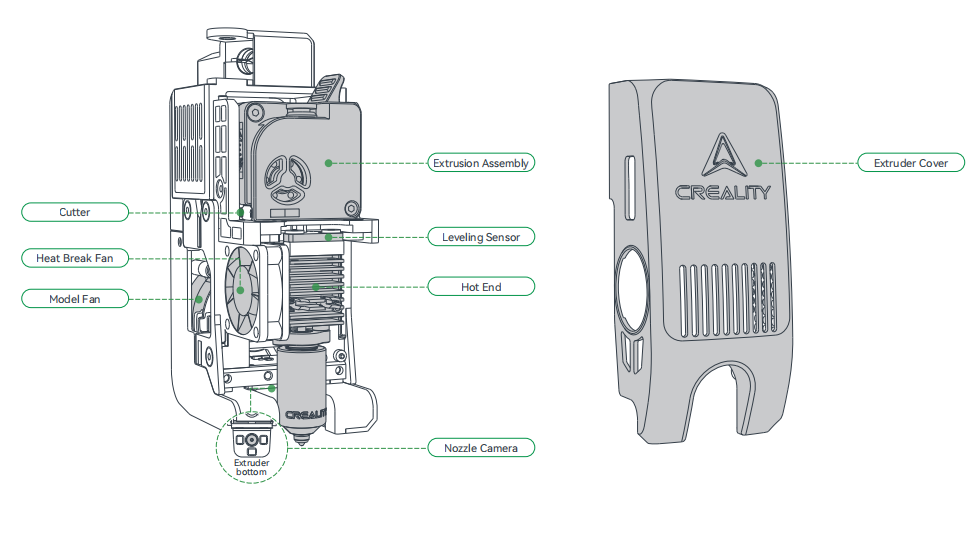
1.3 Equipment Specifications
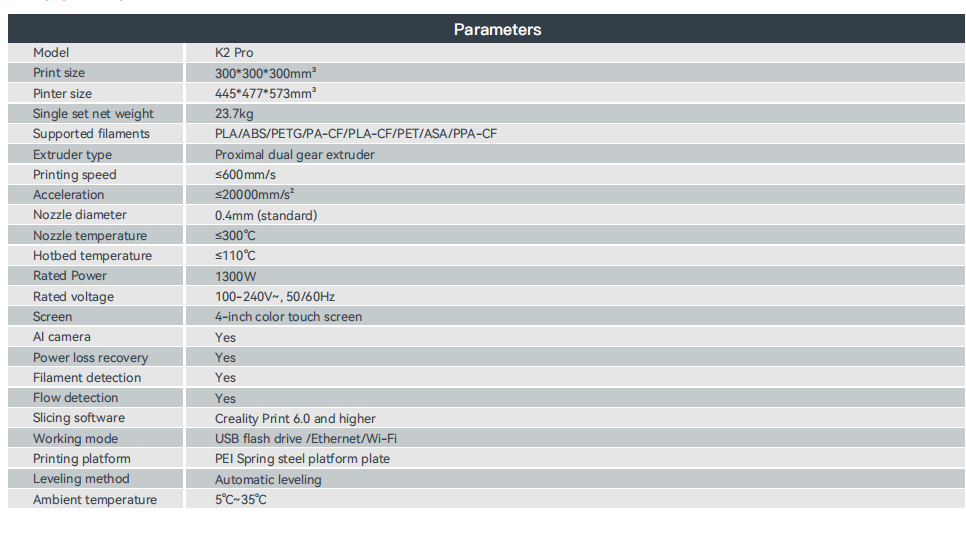
1.4 Equipment Size
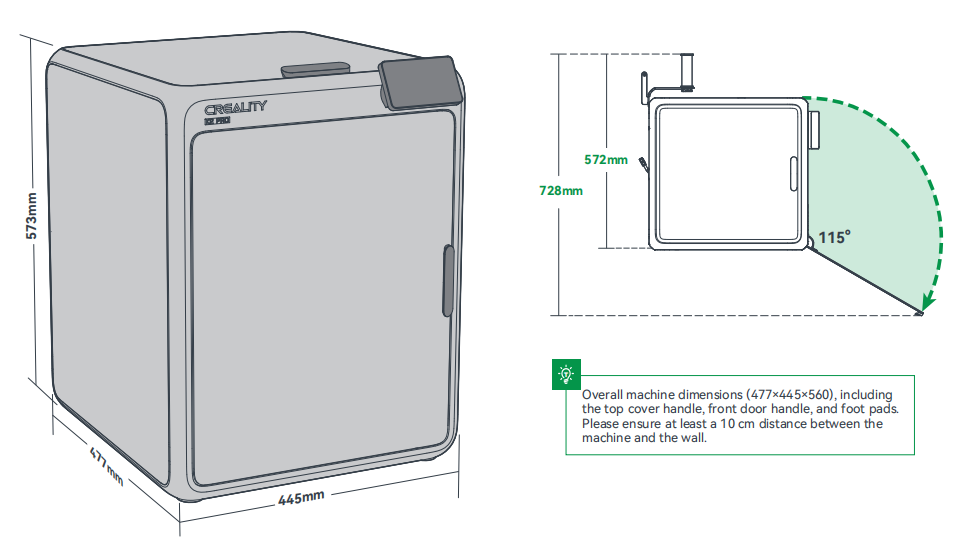
2. Unboxing
2.1 Remove the heated bed locking screws
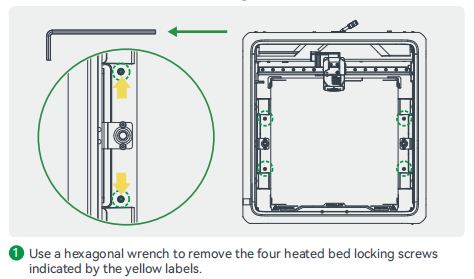
2.2 Install Accessories
2.2.1 Install Printer Screen
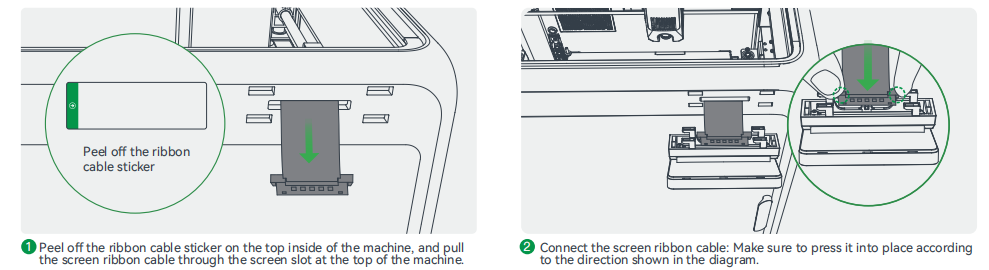
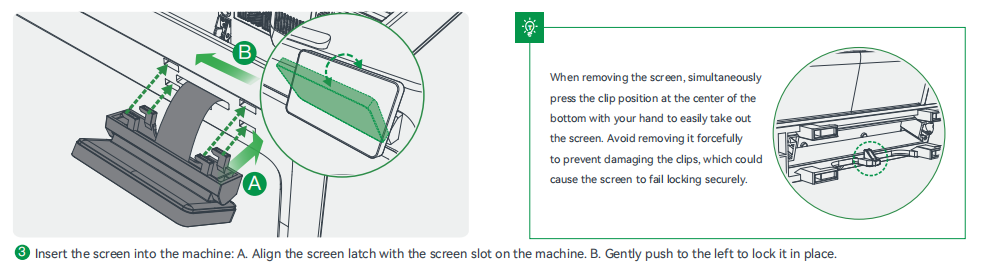
2.2.2 (During single-printer printing) Install Spool Holder and PTFE Tube
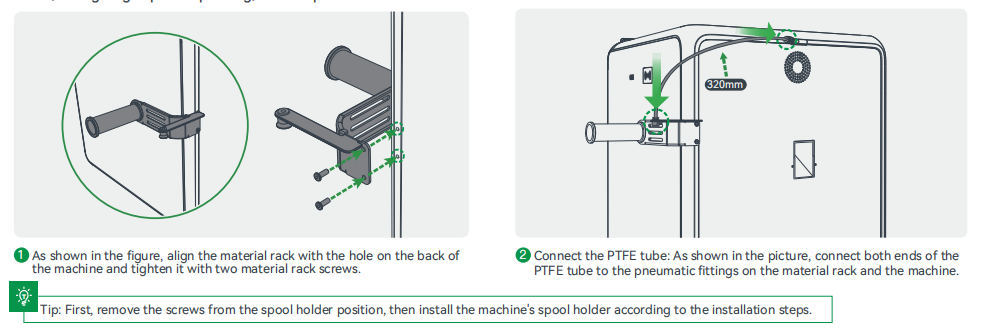
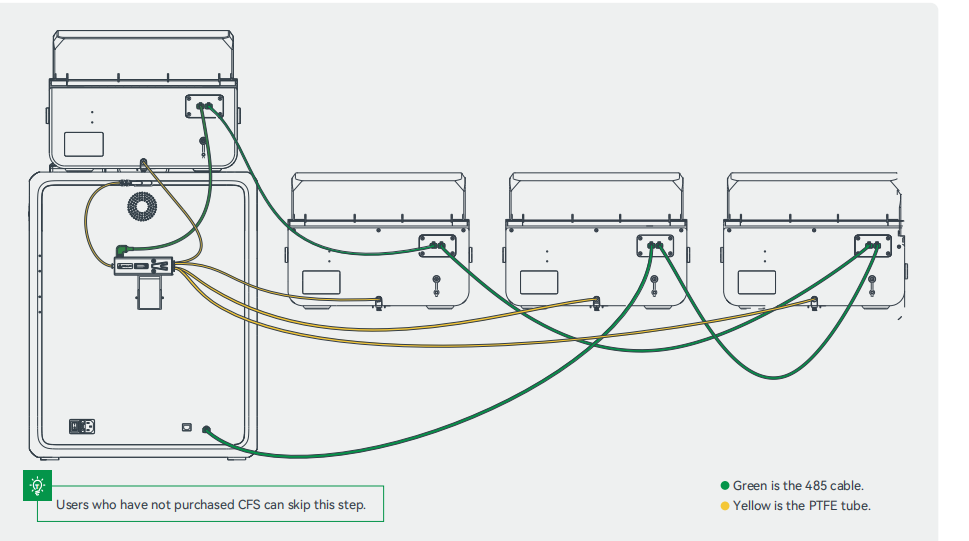
2.3 Connecting CFS
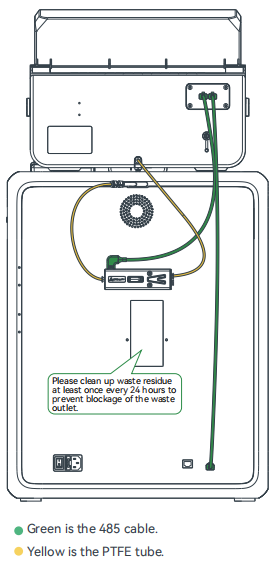
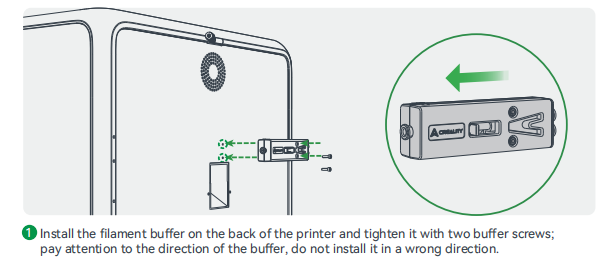
2.3.1 Install the filament buffer
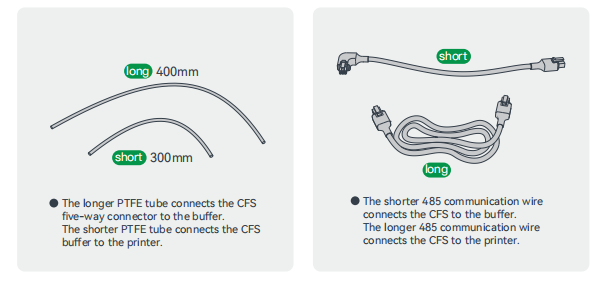
2.3.2 Connect the PTFE tube and 485 cable
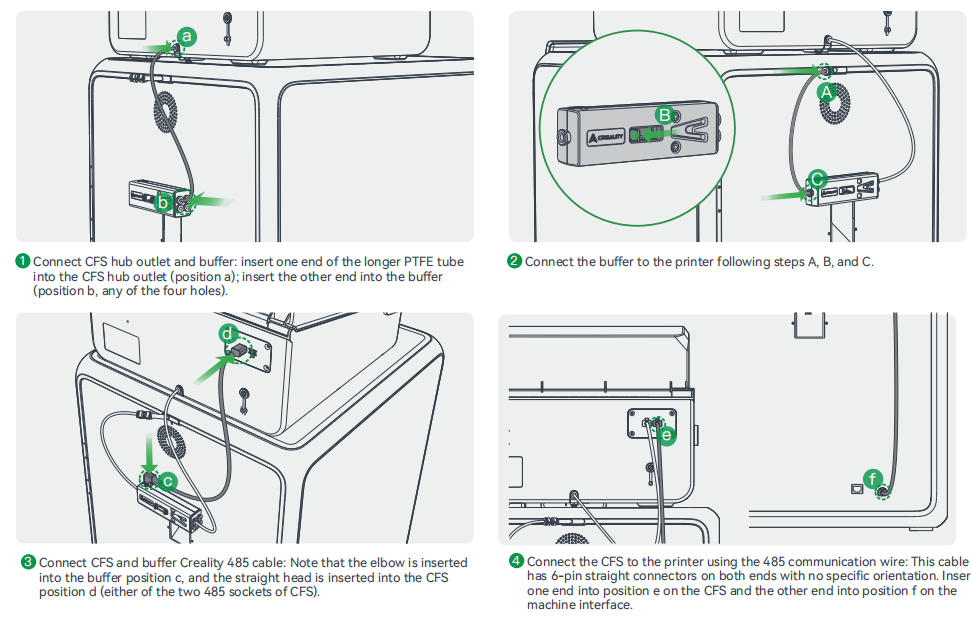
2.4 Connecting Multiple CFS
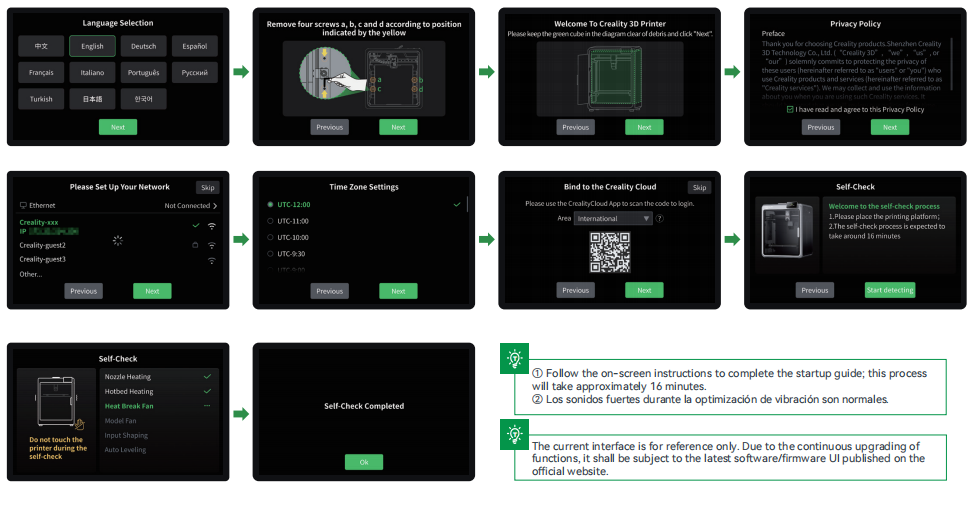
2.5 Power-on Guide
3. Product Usage
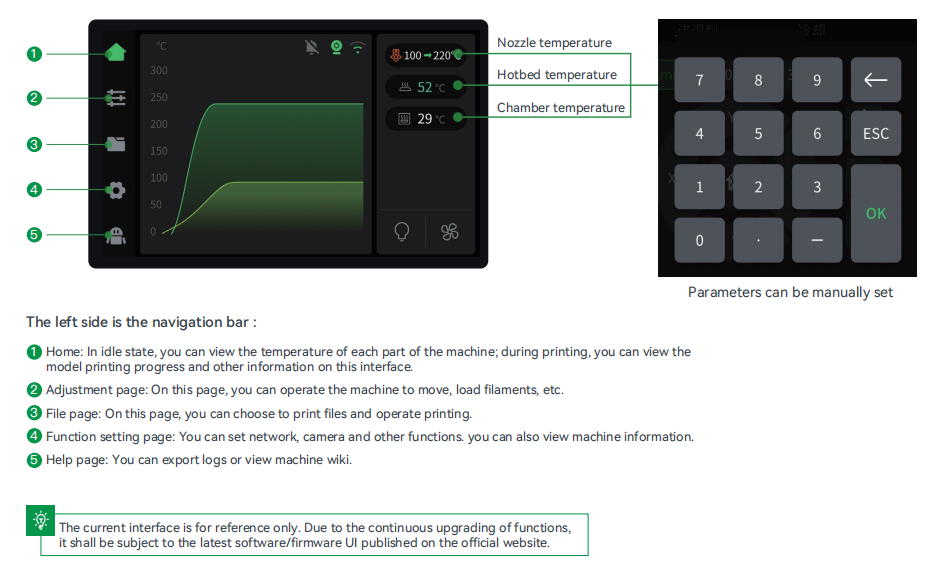
3.1 User Interface
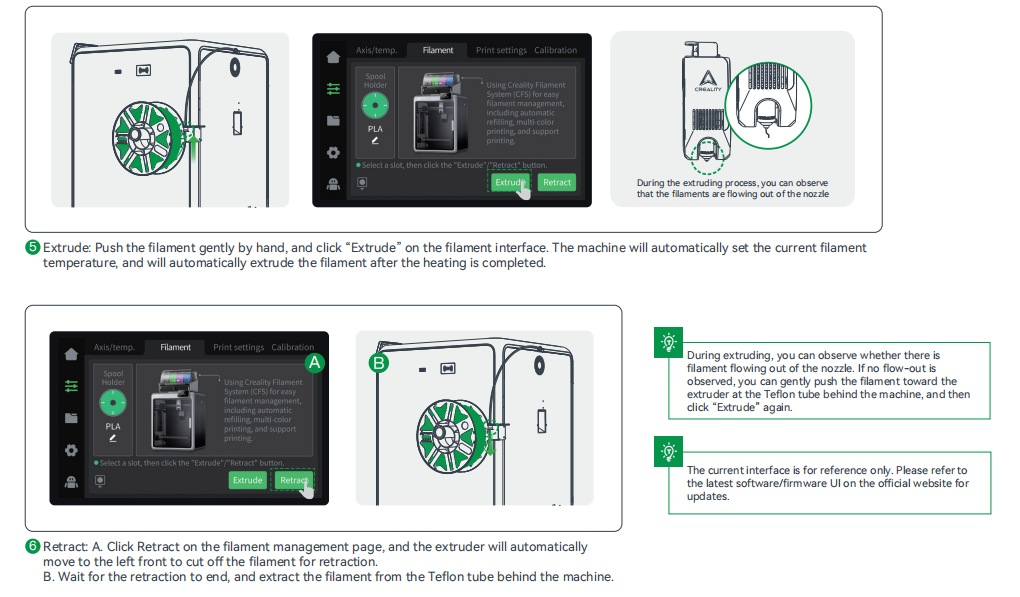
3.2 Loading Filament From Spool Holder
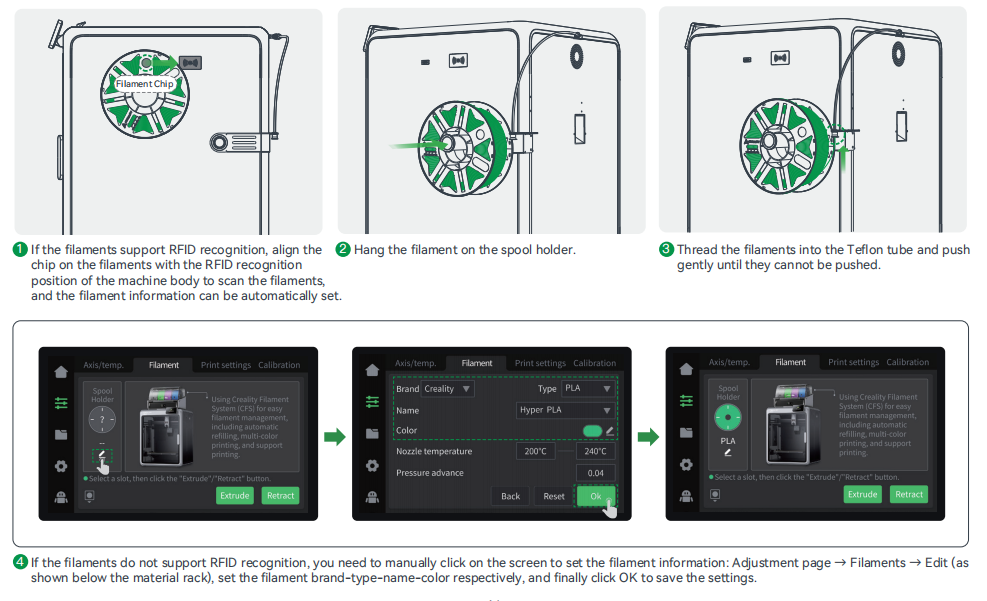
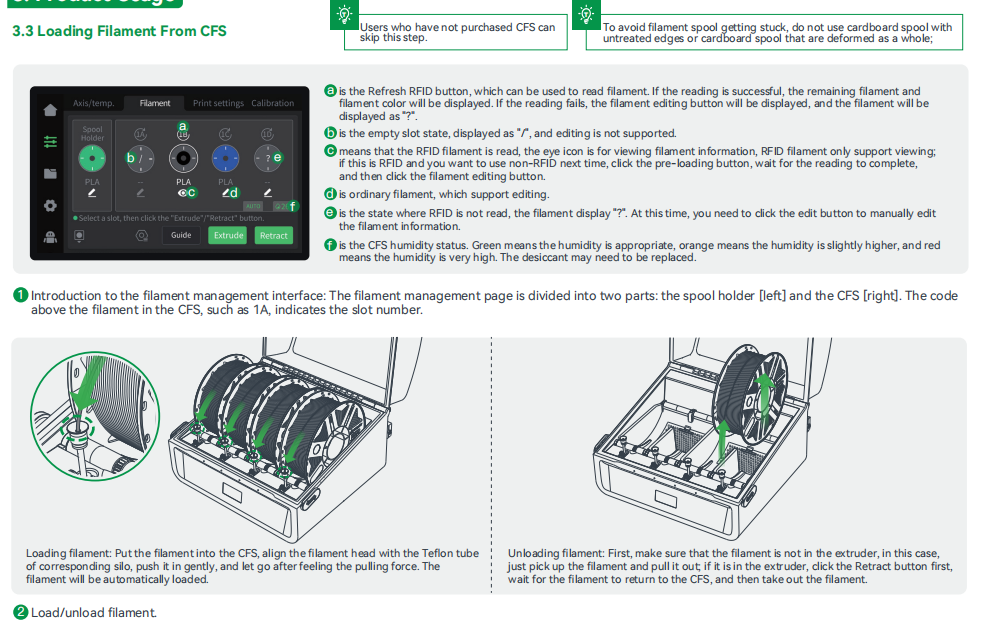
3.3 Loading Filament From CFS
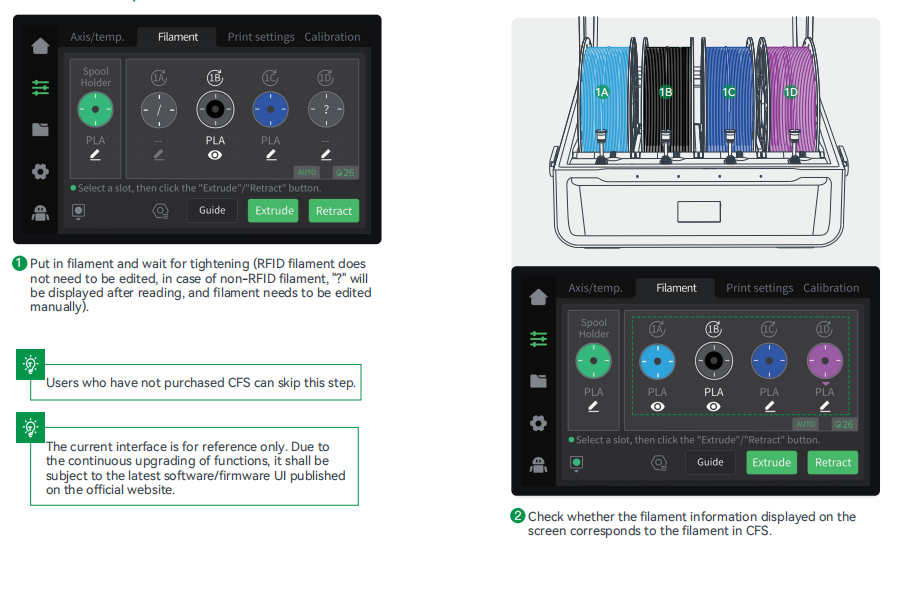
4. First Use
4.1 Filament Setup
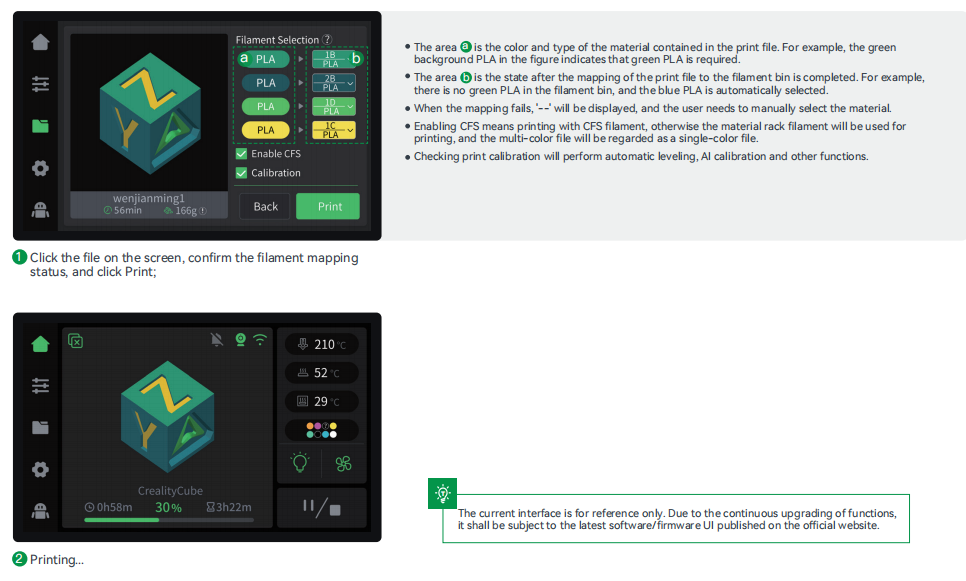
4.2 Print
4.3 Creality Print Slicing
4.3.1 Software Download and Installation

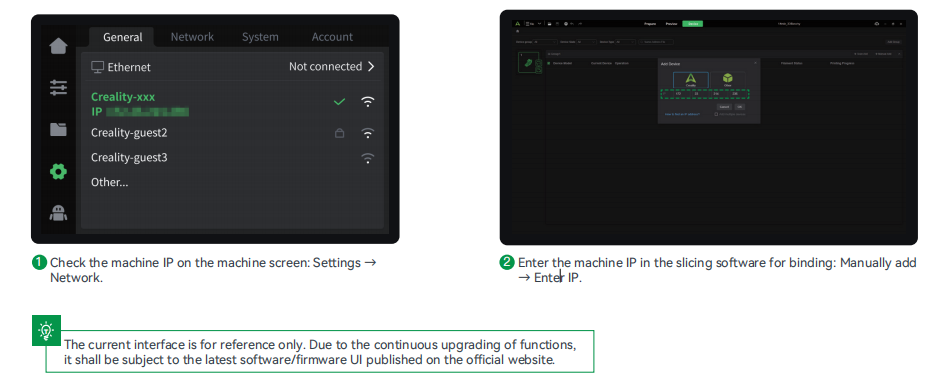
4.3.2 Bind Machine to LAN
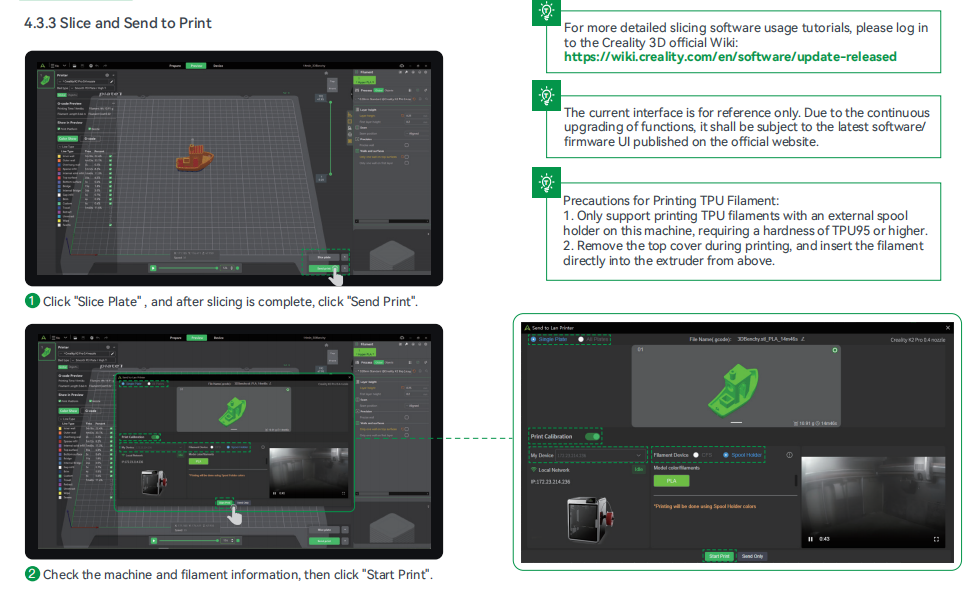
4.3.3 Slice and Send to Print
5. Tips and Routine Maintenance
5.1 Printing Considerations

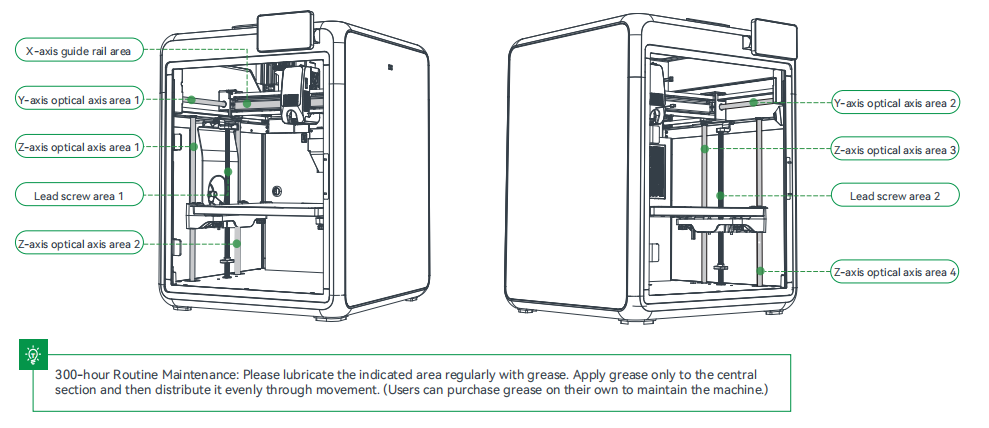
5.1.2 Lubrication and maintenance
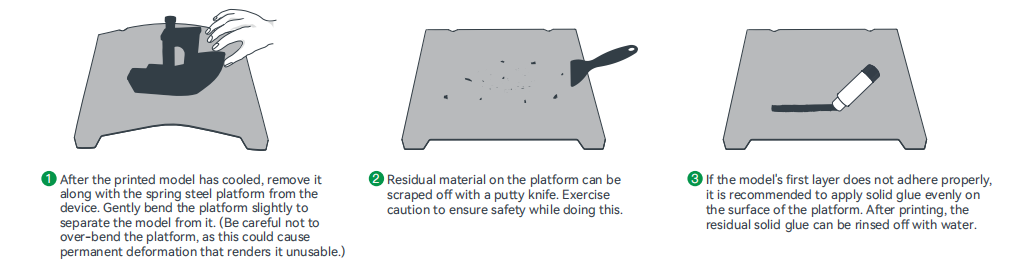
5.1.3 Using and Maintaining a Spring Steel Platform
5.1.4 Cleaning of debris inside the chassis
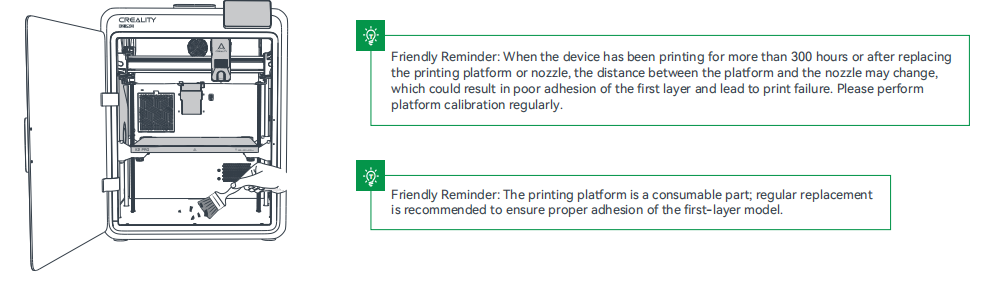
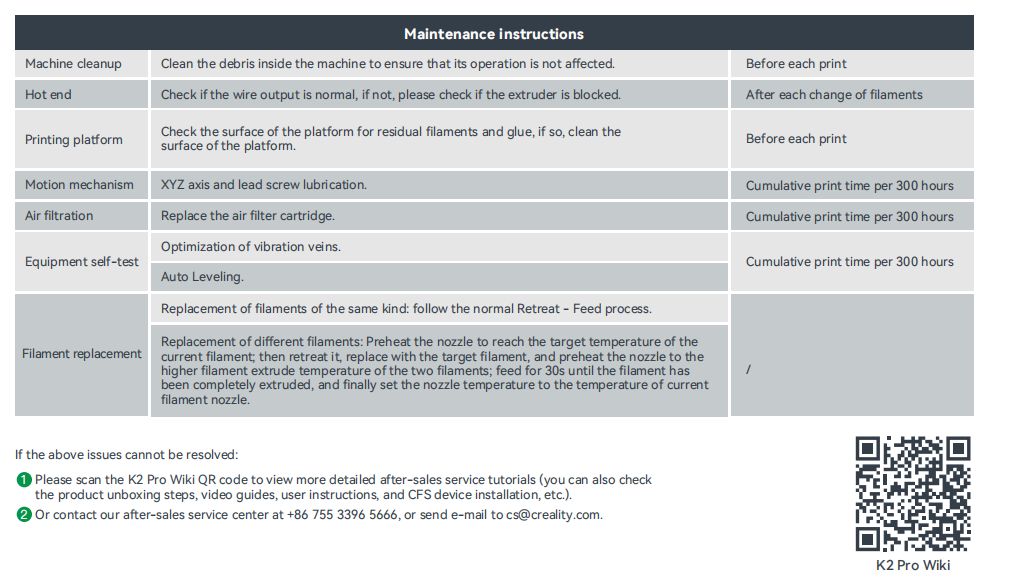
5.2 Maintenance Items.
Cet article a-t-il été utile ?
C'est super !
Merci pour votre commentaire
Désolé ! Nous n'avons pas pu vous être utile
Merci pour votre commentaire
Commentaires envoyés
Nous apprécions vos efforts et nous allons corriger l'article